
Pony World Craft
Candy Room Games & RabbitCoArcade
4.3660.00 Reviews
- Version
- 1.5.91
- Installs
- 10.00M
- Age Rating
- Everyone 10+
Screenshots
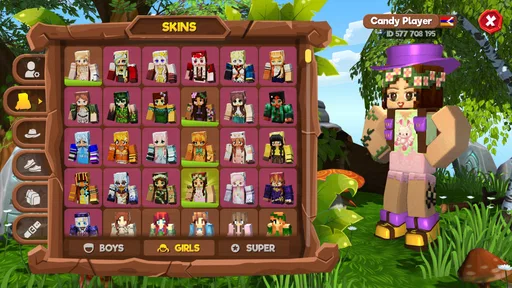
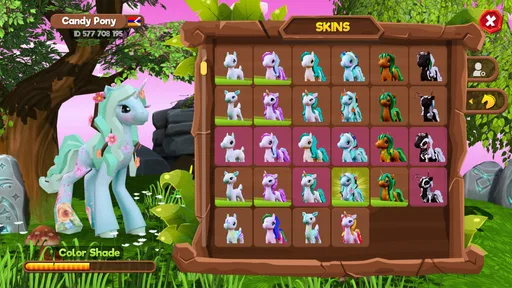
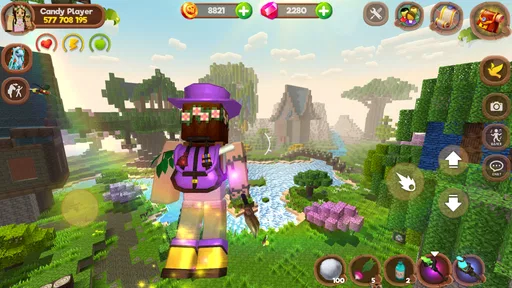
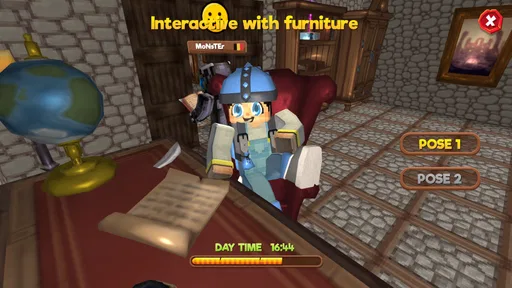
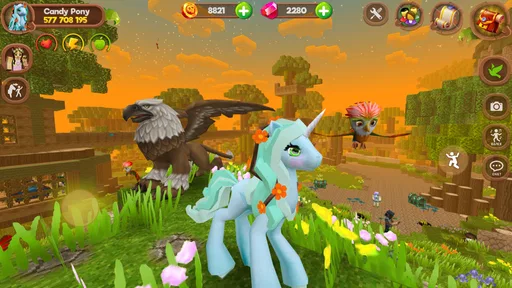
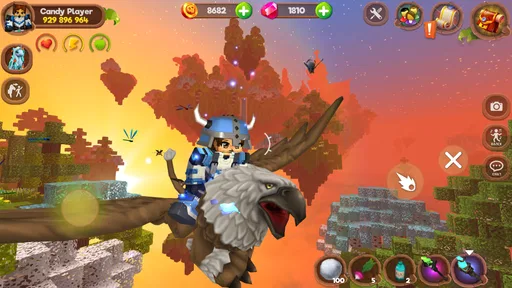
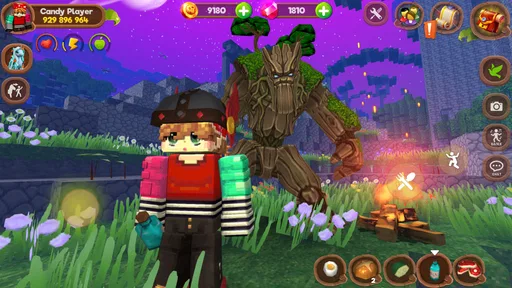
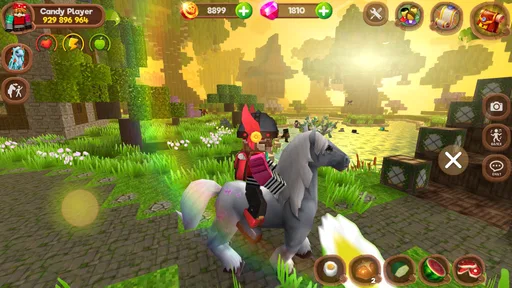
Our Review of Pony World Craft
 Analysis by Appyee
Pony World Craft is the kind of arcade game I open when I want a bright, uncomplicated escape rather than a demanding challenge. Its fantasy setting is immediately inviting, and the pony-focused world gives it a softer personality than the usual arcade titles built around speed, combat, or constant score chasing. I found it easiest to enjoy in short visits, although there is enough room to explore that a curious player can stay longer when the mood is right.
Developed by Candy Room Games & RabbitCo, it is free to play and aimed at players aged ten and up. The game has been available since April 27, 2018, and its current version is 1.5.91. That history matters because this is not a brand-new experiment trying to prove its idea; it is an established mobile game with a sizeable audience, reaching over ten million installs and holding a 4.3 average from around thirty-eight thousand ratings.
How the world feels to read and navigate
The strongest first impression comes from the visual direction. The fantasy world is colorful, friendly, and easy to approach, which makes the game feel less intimidating than many arcade alternatives. I never felt that the presentation was trying to overwhelm me with a dark interface or an overly serious tone. For younger players, casual users, or anyone who prefers cheerful surroundings, that is a meaningful advantage.
At the same time, a colorful design can create its own readability problems. Bright scenery, decorative objects, and characters may compete for attention, especially on a smaller phone screen. I recommend beginning in a quiet part of the world rather than trying to understand everything at once. Moving slowly while identifying the main character, the usable objects, and the next destination makes the opening experience much clearer than rushing around and tapping randomly.
The navigation is best approached as visual exploration instead of as a tightly structured list of missions. That distinction is important. If you expect the constant signposting of a traditional level-based arcade game, the world can feel less direct. If you enjoy looking around and deciding what to investigate next, the looser structure becomes part of the appeal.
My practical tip is to use a short orientation routine whenever you return after a break: check where the pony is standing, look for nearby points of interest, and move in one direction before changing course. This simple habit reduces the feeling of being lost and is particularly useful for players who find open spaces or busy screens difficult to process.
The game’s description presents it as a full adventure fantasy world, but I would not approach it as a substitute for a heavily guided story game. Its pleasure comes more from inhabiting the setting and discovering what is around you than from following a carefully explained narrative path. That makes it approachable for imaginative players, while people who need explicit objectives may find the experience less satisfying.
Readable play for different attention styles
One thing I appreciate is that the world can be enjoyed at a self-chosen pace. A player who wants to move carefully can pause between actions, while someone who prefers quick experimentation can try different directions and interactions. This flexibility helps in everyday use: I can play for a few minutes while waiting somewhere without needing to remember a complicated chain of instructions.
However, self-directed play also shifts responsibility to the player. The game does not automatically solve the problem of deciding what matters first. For a child, I would spend a little time playing alongside them at the beginning, not because the concept is difficult, but because a shared tour of the world can make the controls and visual priorities easier to understand.
There is also a useful difference between visual clarity and visual simplicity. Pony World Craft is visually approachable, but it is not an empty screen with only one element to follow. Players who are comfortable scanning a scene will probably settle in quickly. Players who rely on very strong contrast, large text, or extremely minimal interfaces may need more patience and may prefer a simpler arcade game.
Movement, touch, sound, and everyday access
As a mobile arcade game, it depends on direct interaction with the device. That makes the experience familiar, but it also means that comfort with touch controls matters. I found that deliberate taps and steady movement work better than frantic gestures. When I treated the screen like a small control panel rather than a button-mashing surface, the game felt more manageable.
This is an important consideration for players with limited fine-motor control, hand fatigue, or difficulty maintaining a firm grip. Short sessions are more comfortable than extended play if repeated movement becomes tiring. Holding the phone securely and playing while seated can also make exploration less stressful. A stand or stable surface may help someone who has difficulty supporting the device and controlling it at the same time.
I would not recommend assuming that every action will feel equally easy for every player. Touch interaction can be forgiving when the player has time to position a finger, but it can become frustrating when the screen is busy or when a desired object is close to other visual elements. The best approach is to test the game during a calm moment and notice whether the controls feel predictable before committing to longer sessions.
Sound is another personal factor. Some players enjoy audio as part of a fantasy atmosphere, while others need a quieter environment to concentrate or prefer to play without drawing attention in public. I usually begin with the device volume low and adjust from there. That makes it easier to decide whether the visual world alone provides enough feedback for comfortable play.
For someone sensitive to bright colors or animated movement, the game’s cheerful presentation may be pleasant in moderation but tiring over time. I would use shorter play periods and take breaks rather than forcing a long session. This is not a criticism of the art style; it is a reminder that an inviting visual design can still demand attention, particularly on a small, bright display.
Where it fits during the day
The game works well in situations where I have a little free time and want something more engaging than a passive video. A realistic example is a short wait before an appointment: I can explore for a few minutes, stop without losing the whole evening, and return later when I have more time. Its free price also makes it easy to try in that kind of low-commitment situation.
It is less suitable when I need a completely silent, low-distraction activity or when I am already mentally overloaded. The fantasy world asks me to look around and make choices, so it is not the best companion for multitasking. I would also avoid playing while walking, traveling through a crowded place, or doing anything that requires regular attention away from the screen.
Because the game is rated Everyone 10+, families can consider it for older children and shared play, but I would still judge the experience by the individual child rather than by the label alone. Some children will enjoy the freedom immediately; others will want clearer instructions or an adult to explain what to try next. Playing together for the first session is a practical way to discover which group your child belongs to.
The minimum operating-system requirement is Android 6.0, which gives the game a broad potential device range. Even so, an older phone may provide a less comfortable experience if its screen is small, touch response is inconsistent, or performance is uneven. The requirement tells me the game is designed for older Android compatibility, but the quality of play still depends on the particular handset and the player’s comfort with it.
What it does well, and where the barriers remain
Compared with the usual arcade alternative, Pony World Craft is not primarily about beating a timer, repeating a short level until every movement is perfect, or chasing a high score. Its advantage is emotional rather than competitive: the fantasy setting gives me a gentler reason to keep playing. That makes it a better choice for exploration-minded players and a weaker choice for anyone looking for precise, high-pressure arcade mastery.
Compared with a conventional virtual pet or children’s world game, it feels more like an environment to move through than a single routine to complete. That can encourage imagination and independent discovery. The trade-off is that the game may not provide the same immediate sense of progress as a title that clearly displays tasks, rewards, or stages. If visible achievement markers are what keep you motivated, another arcade game may hold your attention better.
One non-obvious strength is how well the setting supports self-paced experimentation. I can use a cautious method—observe, move, stop, and reassess—instead of treating every mistake as a failure. That is valuable for players who dislike pressure. It also gives parents or friends a chance to turn the game into a shared conversation about what the player notices, rather than simply watching them repeat difficult sections.
Another useful trade-off is the relationship between freedom and orientation. The same open-ended feeling that makes the world pleasant can make it harder to know what the game considers important. I suggest creating a personal goal for each session, such as exploring one area or learning one interaction. This turns an unstructured visit into a manageable activity without demanding that the game provide a rigid checklist.
A third practical insight concerns device handling. The game is easier to enjoy when the phone is positioned so that the player can see the whole scene and reach the controls without stretching. This sounds basic, but it can change the experience for anyone with limited hand movement or visual fatigue. Playing with the device resting on a table may improve stability, while a larger screen can make the fantasy environment easier to scan.
There are still barriers that prospective players should take seriously. The game does not suit someone who wants a clearly linear campaign with constant explanations. It may also disappoint players seeking competitive depth, rapid score improvement, or the tight feedback loop of a classic reflex arcade title. The gentle atmosphere is a strength only if that is what you want from the session.
Players with strong needs for adjustable presentation should approach it thoughtfully. A bright, detailed world and touch-focused play can be demanding when visual processing, hand control, or sensory tolerance is limited. I would test it in a calm setting, keep sessions brief at first, and stop if the screen or controls become tiring. That is a more realistic accessibility judgment than assuming that a friendly art style automatically works for everyone.
There is also a social consideration. The game can be a good shared activity, especially when an experienced player helps a newcomer understand the world, but it is not necessarily ideal for someone who wants constant guidance from the game itself. A parent, sibling, or friend may need to provide the missing structure during the first few sessions. For independent players, that extra support may be unnecessary; for others, it can make the difference between curiosity and frustration.
Who should install it
I would recommend it to players who enjoy colorful fantasy settings, relaxed exploration, and mobile games that do not force every session into a competition. It is especially appealing if you want something free to try, suitable for short visits, and different from the usual score-focused arcade formula. The large audience and 4.3 average suggest that its approachable idea has connected with many players, although popularity alone cannot guarantee that its open-ended style will match your taste.
I would point younger players toward it when they are comfortable navigating a touch screen and when an adult can help with the initial orientation if needed. The Everyone 10+ rating makes it relevant for family consideration, but the best fit still depends on attention span, motor comfort, and tolerance for a visually active fantasy world.
I would skip it if your priority is a minimalist interface, a highly structured objective system, or demanding arcade competition. In those cases, a traditional level-based game with clearer stages may be more rewarding. I would also look elsewhere if your hands tire quickly during touch play or if bright, animated scenes are uncomfortable, unless you can play in short sessions with a setup that reduces strain.
After spending time with it, my view is that Pony World Craft succeeds by offering a welcoming place to wander rather than by reinventing arcade mechanics. Its best quality is the freedom to play gently and imaginatively. Its main weakness is that the same freedom can leave some players unsure what to do next, while the colorful touch-based presentation may not suit every ability or situation.
For me, that makes it a worthwhile recommendation with a clear condition: choose it for atmosphere and exploration, not for strict goals or intense reflex tests. Candy Room Games & RabbitCo has created a game that can fit comfortably into a quiet break, a family play session, or a few minutes of personal discovery. If you want a friendly fantasy world that lets you set the pace, this is a convincing free arcade option; if you need maximum clarity, minimal stimulation, or competitive precision, another game will serve you better.
Verdict
Strengths of Pony World Craft
- Creative sandbox lets players build and customize their own pony world.
- Cute pony-themed visuals are appealing to younger players.
- Exploration encourages curiosity across different areas and environments.
- Simple controls make the game easy for children to pick up.
- Character customization adds variety and personal expression.
Limitations of Pony World Craft
- Gameplay may feel repetitive after the initial building and exploration.
- Some features or items may require in-app purchases.
- The cartoon graphics may seem too basic for older players.
- Performance can vary on older phones and budget tablets.
- Limited challenge may disappoint players seeking competitive gameplay.
Other Releases by Candy Room Games & RabbitCo
View All
School Party Craft
Adventure4.4
Similar Picks in This Category
View All
Subway Surfers
SYBO Games4.6

Stickman Party 234 MiniGames
PlayMax Game Studio4.6

Subway Princess Runner
Ivy4.4

Temple Run
Imangi Studios4.2

Zombie Tsunami
Mobigame SAS4.6

Stack Ball - Crash Platforms
CASUAL AZUR GAMES4.5
Frequently Asked Questions
What is Pony World Craft?
Pony World Craft is a creative sandbox game centered on colorful pony characters, exploration, building, and customization. Players can move through block-style environments, collect resources, create structures, and enjoy a playful world inspired by crafting and adventure games. Its relaxed presentation makes it suitable for users who prefer open-ended gameplay rather than a strictly linear story.
How does the gameplay work in Pony World Craft?
The main gameplay combines exploration, crafting, construction, and character interaction. You can travel around the map, gather materials, design buildings, and experiment with different environments while controlling a pony character. Progress is generally driven by your own creativity, so the experience can feel different depending on whether you focus on building, discovering locations, or simply exploring the world.
Is Pony World Craft suitable for children?
Pony World Craft uses bright visuals, friendly characters, and non-realistic block-based environments, which may appeal to younger players. However, parents should still review the app’s age rating, advertising, in-app purchase options, and privacy information before installation. Depending on the device version, online features or external links may also require supervision, especially for children using the game independently.
Does Pony World Craft require an internet connection?
The basic building and exploration experience may be available offline, but this can depend on the version installed and the device platform. Internet access may still be needed for downloading the game, displaying advertisements, receiving updates, or using any online-related features. It is best to check the store listing and test the game once installed before relying on it without a connection.
Is Pony World Craft free to download and play?
Pony World Craft may be available as a free download, but free access does not always mean that every feature is completely unrestricted. The game can include advertisements, optional purchases, or limitations that vary by platform and release. Before downloading, review the official store page for current pricing, permissions, supported devices, and purchase details to avoid unexpected costs.
Play our best games!


